

One step forward, one step back for the BA App
The new BA app has been a long time coming. The old one was often sluggish, the UX felt dated, and some of the “app” functions were really just web pages from the main BA website. Which you then had to log in to, again. The expectation was that BA would be launching something extra special: on par, or perhaps even better, than other oneworld airlines.
Quick Summary
- BA has now launched it’s new app on Android and iOS
- It is being panned by customers: it is a downgrade rather than an upgrade
- The app lacks features from the previous version
- It will also just open up the BA website in your browser for some functionality
- Readability and the UX flow are cited as frustrations
BA has rolled out a newer version of the (new) app
When did BA launch the new app?
It was available for download/update yesterday, Wednesday, 15th June. If you already have the app installed, then it will either auto-update, or you can manually update it in your app store.
The app has been in beta for a while, although being part of that did require you to say that you wouldn’t share screenshots of it. Some have snuck onto Reddit, and it looked ok. The real test was when it was let out into the wild, and that’s what has now happened.
What’s the new BA app like?
To summarise: disappointing. It’s not a terrible app, but it feels half-finished. We still have the issue of parts of it being a web page, but now it’s the pages that used to exist within the app. So it’s a step backwards.
Want to book a reward flight? Just click the menu option and you’ll be taken to….the BA website. It is faster to just open your browser and visit the website. Want to explore all the lounges that BA has to offer in the “Lounge information” section? Tap the menu, and you’ll be shown a webpage that tells you how busy the Heathrow lounges are. The same data we use behind our insights page.
The “Airport maps and wayfinding” menu item takes you to a real page in the app that’s specific to Heathrow. It asks you to enter information about your flight and then tells you how to walk around the airport. If you’re looking for maps for airports like Gatwick or Manchester, you’re out of luck. This should really be called “Heathrow Wayfinding”.
This feature is the most impressive in the app, which isn’t saying a lot. It’s also pointless for most people. You get the feeling that this was touted internally as being something innovative and exciting, when the vast majority of travellers won’t use it.
The flight status and timetables options, which used to be within the app, now just take you to the BA website. Again, this feels really lazy.
There must be some positives?
The app feels fast. I wouldn’t be surprised if speed were a critical KPI on this project, and rightly so. So much of BA’s digital footprint is creaking and sluggish.
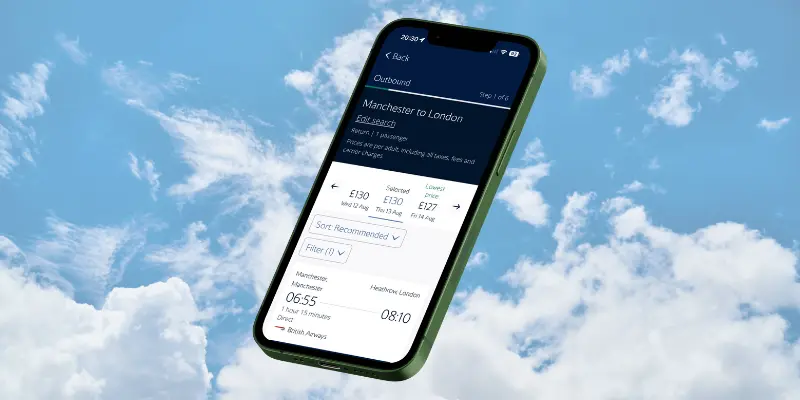
The “book a flight” process is lightning quick. Which should be the standard, but when you compare it to the BA website, it is significantly faster. The date selection part of the process highlights the cost of the flight on each date, which is not groundbreaking but useful.
The UX is clean, readable and uncluttered. It is an easy app to use. The booking flow, for paid for flights, not reward flights, is well considered and very easy to use.
What did BA get wrong?
The overhype didn’t help. The app revamp was part of a £7bn transformation, and the belief, perhaps hope, was that this app was going to be next-gen. I can’t imagine much of that budget went on the app, it’s difficult to know how much work was needed behind the scenes.
Creating an app is as much, and often more, about the back-end than the app itself. Dragging data in on flight availability means pulling information from a service or server. If that is itself ageing and slow, then there’s nothing you can do to make that front-end app faster.
I am going to guess that the real heavy lifting was updating the things that drive the app, and not the app itself. Legacy code, systems and architecture are incredibly difficult to update.
What’s the future of the app?
When you open up the app for the first time, you’re given five images to scroll through. They breathlessly walk you through some of the outstanding features, like “managing your bookings” and “access to boarding passes”. These feel like features that were standard five years ago.
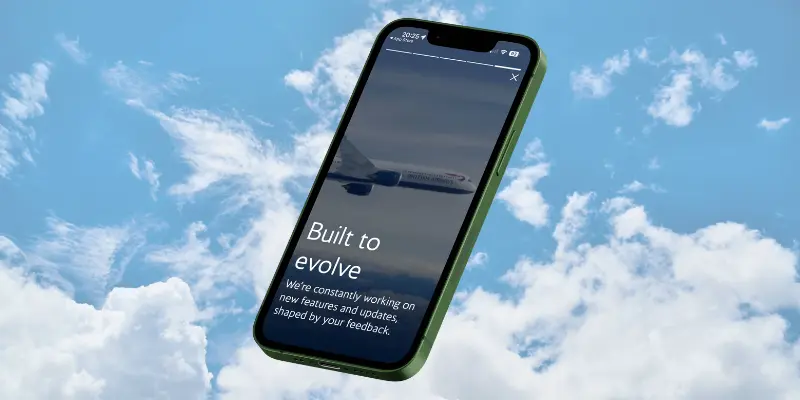
The very last image says “Built to evolve” and “We’re constantly working on new features and updates”. This is the hope: a new platform that makes new features easier.
There is still some work to get the app to the same feature set as the previous one. Not being able to book reward flights natively is an obvious issue. The removal of the reward flight finder function is really frustrating, but this had already been downgraded in the old app. I’m not sure why BA want to make it progressively harder to find reward flights, especially when other airlines like Qantas are creating outstanding tools. (You can read more about that in my guide to finding reward flights)
What can you actually do in the app?
Here are all the things you can do in the app, natively (i.e. not having to jump to a webpage).
- Book flights: this is a really fast and easy process
- See your Avios balance and Tier Points. This is less visible in the new account page
- See a full list of Avios and Tier Points transactions.
- See your progress to the next tier.
- View all your vouchers: Amex 2-4-1 vouchers and Barclays cabin upgrade vouchers. This is a new feature in the app.
- You can also view your BA The Club membership card.
- You can also view your personal information and edit it within the app, as well as your travel preferences, travel companions and your passport details.
There are also options in the hamburger menu. These feel hidden, given that the only way to access them is to click that three-line burger menu, and that’s only visible on the homepage. I actually missed it when I opened the app for the first time.
Within that, you have:
- A sale and offer section. This takes you to the BA website
- A reward flights menu, both of the options in here take you to the BA website
- A flight status and timetable menu option, both of which take you to the BA website
- The airport maps option that I mentioned earlier. This is a native, in-app function, but it’s just a way to get around Heathrow
- A menu option called Lounge Information that just shows a webpage with occupancy levels at Heathrow.
- A help centre link that – you guessed it – takes you to the BA website
- And finally, an App feedback option.



3 comments
Ronnie
As a long term Executive club member I must say the new app is a slight disappointment. The new card looks slick and searching for flights is also quick but generally no way they released this app with such little features. Do hope it improves
steven miller
The BA board is paying billions to develop an app and new website that does not function properly and the money given to the consultancy web developer in India needs to engage much better qualified IT staff as this has taken 2 years to upset, not just customers, but all BA staff as well!
It is appalling and never properly worked in over two years now with nothing to show.
Amir
The new BA app is a big disappointment compared to the old one , it’s just a page with different links to the website. Not sure what is the point of this app if you have to use the website and login again