

How to get free or discounted items from Dell
One of the lesser-used perks on certain Amex Business cards is an annual Dell credit, allowing you to claim up to £150 in discounts on Dell purchases every year. There’s no such thing as a free lunch, so you do have to do a little bit of work in order to access them.
What are the Amex Dell credits?
On certain American Express cards (see the list below), you’ll get £100 or £150 of Dell credits each year. These are split throughout the year: either £50 or £75 in the first half and second half of the year. (The two periods run from the 1st January to the 30th June, then from the 1st July to the 31st December).
The credit will be applied to your Amex account automatically when Amex detect a transaction from Dell. If you spend under, or exactly, the £50/£75 then you are effectively getting something for free.
If you don’t use the credits in the relevant time period, then you lose them. There is no rollover.

The broken benefits process
You must opt in to get the Dell credit. At the time of writing, the benefits enrollment process is a little broken.
On mobile, you have to go to the Membership page, via the icons at the base of the screen. Then “Explore your benefits”. This takes you to a webpage that feels like it’s generic, but if you scroll all the way down, you’ll see a reference to Dell. Click the Enrol button.
The next page might fail if you have multiple cards in your Amex account, if this happens just select the correct card in the navigation in the top right.
It’s a very poor user experience, and entirely unnecessary. It feels like Amex are going through some big changes, and these issues are temporary, or they really don’t want you to use your benefits.
Amex say that it could take up to seven days after enrollment for the benefit to become active.
Which Amex cards have the Dell credits?
- Amex Business Gold Card: £100/year, £50 every six months
- Amex Business Platinum Card: £150/year, £75 every six months
The Business Gold card currently costs £195 a year (free in the first year) and the Platinum Card costs £650/year. This is a good way to offset those costs. On the Gold Card you could reduce the effective annual cost by half. On the Platinum card, the £150 of credits will make a smaller dint into the annual fees.
How do the American Express Dell credits work?
When you purchase an item from Dell, and you use the relevant American Express card, Amex will add a negative transaction to your account to cover the cost of the credit.
The Dell transaction will appear (at the total price of the items you bought), and then the Dell Credit will appear as “Business Gold Dell Credit” or “Business Platinum Dell Credit”.
Your credit can only ever be a maximum of £50 or £75 if you spend that amount or more at dell. If you bought something from Dell for £25, then that would be the credit that you get.
There are no deductions for VAT or postage, meaning that if you bought an item for £75, and that included VAT and shipping, you would get the full £75 back as a credit (assuming you had the Platinum card and the £150 annual credit).
Is there a strategy?
Yes.
- If you need to buy something from Dell, consider the Amex Dell benefit as a discount on what you would have bought.
- If you have no need to buy anything from Dell but want to take advantage of the benefit, buy something for less than £50 or £75, depending on the card you have. Dell does have some low-priced accessories that could be useful to any business.
In both cases, remember to use the Avios Shopping website to pick up some extra points. At the time of writing you can get 2 Avios for every £1 you spend with Dell.
If you have more than one card, create a simple spreadsheet to track what you buy, and what credit is left. There is no way on the Amex website to check to see what credits are left in the current period. You could go into the Amex app or website, and search your transactions for the word Dell if you wanted to refresh your memory.
What could you buy for less than £50 or £75?
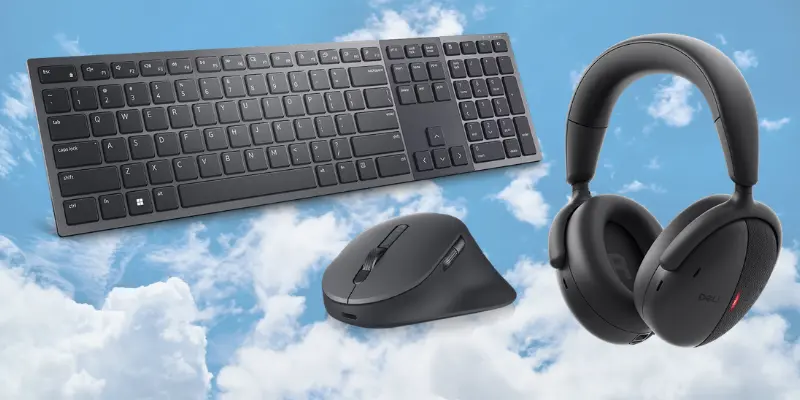
Accessories are a good choice. A number of keyboard and mouse sets are under £50/£75. You may also be able to find a monitor for around £75. Right now, the cheapest 22-inch monitor is £72.
Dell also sells low-cost cables and converters, such as HDMI cables and USB-C converters. It’s a good opportunity to stock up on cables and apaters, and you’ll be able to get multiple items for £50/£75.
You can also pick up a webcam for £67, and there are a number of laptop bags or rucksacks for less than £50.
I have three business cards: a Platinum and Gold for one business, and a Gold for another. In one business, we’re always adding new team members, so I use up the credits for ordering monitors to be delivered to their homes so they can work from there.
In my second, we have to be more strategic to utilise the Gold that we have. We do not automatically need to order anything from Dell, so our last purchase was a keyboard and mouse set to replace one that was on its last legs.
Is it worth using the Dell credit?
If you already have an Amex Gold or Platinum Business Card, then it is absolutely worth activating the benefit.
Even if you don’t have plans to order anything from Dell, and you don’t want to order a low-priced accessory just to use up the credit, it’s at least set up for the future. You may need to be something from Dell in the future, and it would be a shame to miss out on the credit.
If you’re actively seeking to offset the annual card fees through credits, discounts and other items of value, then utilising the Dell credits is a key part of it. It’s £100 or £150 a year of offset, and it’s easy to do.



Add a comment